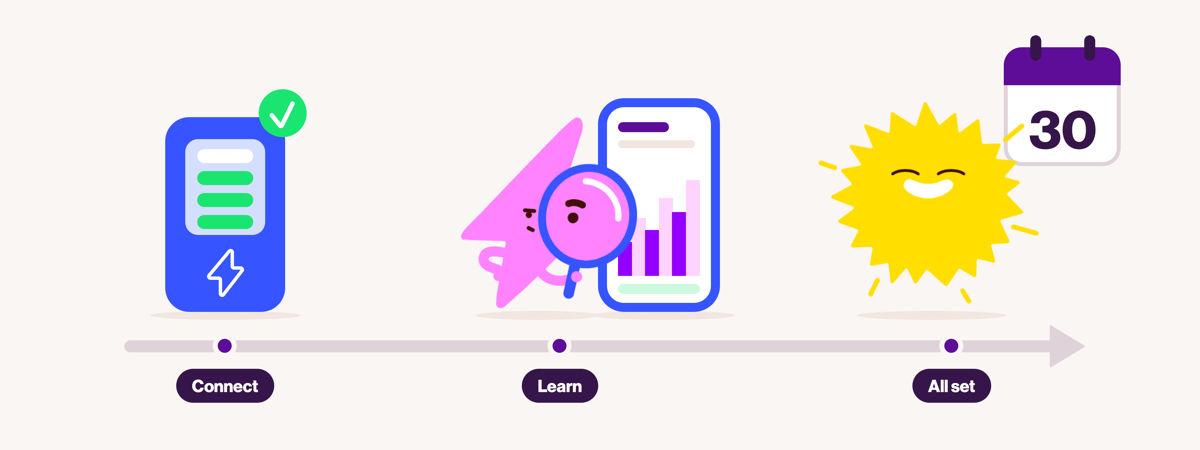
What to expect in your first 30 days with Next Optimise.
Author: E.ON Next
Reading Time: 9 mins
You've signed up to Next Optimise, connected your home battery and switched on automation. So, what happens next?
During your first month, Next Optimise starts learning about your home, including when you typically use electricity, how much energy your solar panels generate and how to make the most of changing electricity prices.
You might notice your battery doing things differently from before. Perhaps it charges from the grid when there's still some sunshine, or holds onto stored energy rather than using it straight away.
There's usually a reason behind these decisions. As Next Optimise gathers more information about your household, it can make increasingly informed predictions about how to manage your battery.
Here's what to expect during your first 30 days, how to track your battery's performance and what to look out for as you start seeing results.
Getting started: Connecting your home battery.
Next Optimise works by connecting your compatible home battery to intelligent software that automatically manages when to charge, store, use and export electricity.
Unlike a traditional battery setup, which generally prioritises storing solar energy for your own use, Next Optimise also considers changing wholesale electricity prices.
This means your battery can charge from the grid when electricity is cheaper, use stored energy to reduce your costs when prices are higher, or export electricity when prices make it financially worthwhile.
Once you've authorised your battery connection, Next Optimise runs a series of tests to check that everything is working correctly. These can take up to 24 hours, so automation might not start immediately.
Once testing is complete and automation is enabled, Next Optimise can begin managing your battery without you needing to set charging schedules or monitor electricity prices throughout the day.
Before getting started, there are a couple of things worth checking:
Your battery connection: Make sure your compatible battery and inverter are connected and communicating with Next Optimise.
Existing battery schedules: Disable any pre-programmed charging schedules or time-of-use settings in your battery manufacturer's app. These can interfere with Next Optimise's automated instructions.
Your battery reserve: Check that your minimum reserve settings are consistent between Next Optimise and your manufacturer's app.
You can find help with connecting your equipment on our Next Optimise app help page.
The early days: Next Optimise starts learning about your home.
Once automation is running, Next Optimise begins building a picture of how your household uses and generates electricity.
It considers three important things:
Your household electricity usage: How much electricity you're likely to need and when.
Your solar generation: How much electricity your panels are expected to produce.
Changing electricity prices: When it may be cheaper to charge your battery or more valuable to export electricity.
In the early days, Next Optimise has limited information about your household's usual patterns.
To begin with, it uses a relatively simple forecast, assuming your electricity usage over the next 24 hours will be similar to the previous 24 hours.
As more information becomes available, it can start identifying patterns in your household's electricity consumption and solar generation.
For example, if your household typically uses more electricity in the evening, Next Optimise can begin factoring that into its decisions about how much energy to store for later.
You don't need to change your normal routine to help Next Optimise learn. Simply using electricity as you normally would gives it a more representative picture of your household.
Understanding what your battery is doing.
As Next Optimise gathers more information about your household's electricity usage and solar generation, it can use that information to refine its forecasts.
You might also start noticing some unexpected decisions your battery is making.
One of the biggest differences between automated battery optimisation and a traditional solar battery setup is that your battery isn't simply trying to stay as full as possible.
Instead, Next Optimise looks at the opportunities available throughout the day and plans how to use your stored electricity.
That can lead to a few behaviours you might not expect.
Why is my battery charging from the grid when it's sunny?
Your battery might charge from the grid even when your solar panels are generating electricity.
This can happen when electricity prices are relatively low and Next Optimise expects your household to need more stored energy later than your solar panels are likely to provide.
Rather than waiting for solar generation alone, it may take advantage of cheaper electricity while it's available.
Why is my battery importing electricity when it still has charge?
Sometimes Next Optimise deliberately preserves stored electricity for later.
For example, if electricity is relatively cheap now but expected to become more expensive in the evening, it may make financial sense to import some electricity rather than use what's already in your battery.
That stored energy could then help reduce your costs when prices rise.
Why has my battery exported electricity when I might need it later?
Next Optimise considers the potential value of exporting electricity alongside your household's expected energy needs.
If export prices are attractive and the forecast suggests there will be an opportunity to recharge later, it may decide that exporting some stored energy is worthwhile.
Of course, forecasts aren't always perfect. If your electricity usage turns out to be higher than expected, a decision that made sense based on the forecast might look different in hindsight.
That's one reason why it's useful to look at your battery's performance across several days, rather than judging it by a single charging or exporting decision.
Tracking your home battery's performance.
Once automation is running, you can use the Next Optimise app to see what your battery is doing and how it's responding to electricity prices.
You can use it to:
See your battery's activity: Monitor the flow of electricity between your home, battery and the grid.
Explore your battery's plan: View the forecast 24-hour plan, including when Next Optimise expects to charge, preserve or discharge energy.
Understand automation decisions: Use the 'Show automation' feature to see an explanation of the current strategy.
Track your results: Review your electricity import costs, export payments and information about your battery's performance.
Stay in control: Switch between automatic and manual control when needed.
It's worth remembering that your battery's 24-hour plan is a forecast, not a guaranteed schedule. It can change as electricity prices, solar generation forecasts and your household's expected energy needs change.
The app also shows electricity prices, helping you understand how changing wholesale prices influence your battery's decisions.
How should you measure your early savings?
It's tempting to look at one particularly successful day, or one unexpected battery decision, and draw conclusions about how well your system is performing.
But home battery savings are best considered over a longer period.
A day with strong solar generation and attractive export prices might deliver a particularly good result. On another day, your battery might focus more on reducing the amount of expensive electricity you need to import.
Both can contribute to the overall value of your system.
When reviewing your results, look at how much you're spending on electricity imports and how much you're receiving for exports. These figures help you understand your energy costs, but they don't tell you how much you've saved on their own.
To understand your savings, you'd need to compare those costs against what you would have paid on another tariff or with a different battery setup.
Remember that your results will depend on your household's electricity usage, solar generation, battery capacity and changing wholesale electricity prices.
As the month progresses: Building a better picture of your household.
As your first month progresses, Next Optimise gathers more information about your household's electricity usage and solar generation.
After approximately 30 days, it will generally have a more representative picture of your household's usual energy patterns, helping it make more informed predictions about your energy needs.
But that doesn't mean your battery suddenly changes how it operates on day 30, or that your savings will necessarily increase.
Next Optimise continues learning as new information becomes available, using its forecasts to identify the best available opportunities to manage your battery each day.
For example, if you've been away on holiday, your recent electricity usage might be lower than usual. When you return home, it can take time for your normal usage patterns to be reflected in the forecasts again.
Seasonal changes can also influence performance. Your solar panels will generally generate less electricity during winter, while your household may need to import more electricity from the grid. Even with more tailored forecasts, this can mean higher electricity costs than during sunnier months.
Next Optimise isn't following a fixed daily schedule. It continually updates its battery plan using the latest available information, making decisions based on the opportunities available at the time.
Why might my first month's savings be lower than expected?
There isn't a fixed amount that every household coul save during its first month with Next Optimise.
Your results depend on several factors, including:
1. Your household's electricity habits.
How much electricity you use, and when you use it, affects the opportunities available to your battery.
2. Solar generation and the weather.
Cloudy days, shorter daylight hours and seasonal changes can all affect how much electricity your solar panels produce.
3. Wholesale electricity prices.
Next Optimise responds to changing import and export prices, which can rise and fall throughout the day. Some periods will offer greater opportunities to reduce costs or receive export payments than others.
Occasionally, wholesale export prices could also turn negative, meaning you could be charged for exporting electricity to the grid. This is relatively rare and more likely to occur during periods of high solar generation, particularly in summer.
Next Optimise takes changing prices into account when deciding how to manage your battery, but it cannot guarantee a particular financial outcome.
4. Your battery's capabilities.
Battery capacity, charging and discharging limits, and minimum reserve settings all influence how much electricity your system can store, use or export.
5. The initial learning period.
During the first few weeks, Next Optimise is still building a more accurate picture of your household's usual energy needs. Its forecasts may become better tailored to your home as more data becomes available.
It's also worth remembering that savings aren't always about receiving payments for exports. Avoiding expensive electricity imports can be just as important.
Rather than expecting a particular saving in your first month, use this time to understand how your battery is operating and start building a picture of your electricity costs.
What if something doesn't look right?
Although some unexpected battery behaviour can be part of normal optimisation, not every unusual action should be attributed to the learning period.
If your battery isn't responding to instructions, your system has lost its connection or you're seeing repeated behaviour you can't explain, it's worth investigating rather than waiting for the first 30 days to pass.
Start by checking that your battery and inverter are online and that your internet connection is working.
You can also review your battery's plan in the Next Optimise app to see what the automation was intending to do. Remember that this is a forecast and may change as new information becomes available.
If something still doesn't look right, visit our Next Optimise app help page for troubleshooting advice and information about getting support.
What happens after the first 30 days?
After your first month, Next Optimise keeps working in much the same way, automatically planning when to charge, store, use and export electricity based on your household's needs and changing electricity prices.
It now has more information about your home to help inform those decisions, but the learning doesn't stop there.
As the seasons change, electricity prices fluctuate and your household's routines evolve, Next Optimise continues updating its forecasts and battery plan.
Your savings will still depend on the opportunities available each day. Some days will offer more potential than others, regardless of how long you've been using Next Optimise.
And you don't need to become an electricity market expert or spend your evenings adjusting battery settings. Next Optimise continues managing your battery automatically.
Ready to get started?
If you've already got solar panels and a compatible home battery, Next Optimise could help you make more of your existing setup by automatically responding to changing electricity prices.
Check your eligibility for Next Optimise.
Next Optimise savings vary depending on individual circumstances, including electricity usage, solar generation, battery capabilities and wholesale market prices. Savings are not guaranteed. Eligibility and terms and conditions apply.
Published: 19/11/2026
Updated: 19/11/2026
Related Blogs

Power up your solar savings with our dynamic tariff for solar and home battery systems in the UK.
A tariff for solar and battery in the UK can help you optimise solar energy usage and cut cuts with our specialised smart energy tariff.

Real home battery savings: How Dave is making the most of Next Optimise.
Discover how Dave achieved near-zero bills by automating his solar battery with Next Optimise dynamic tariff technology.

What is the average solar panel system’s output per day in the UK?
We explore the average solar panel output per day in the UK and how it impacts your energy savings.

Is my home ready for Next Optimise?
This guide walks through what you need, what to check, and what to do before you get started with Next Optimise.

What is automated energy trading? A beginner's guide to Next Optimise.
If you've got solar panels and a home battery, you've already done something most people haven't. You've taken control of where your energy comes from. Learn about automated energy trading with Next Optimise.
Related Blogs
Power up your solar savings with our dynamic tariff for solar and home battery systems in the UK.
A tariff for solar and battery in the UK can help you optimise solar energy usage and cut cuts with our specialised smart energy tariff.
Real home battery savings: How Dave is making the most of Next Optimise.
Discover how Dave achieved near-zero bills by automating his solar battery with Next Optimise dynamic tariff technology.
What is the average solar panel system’s output per day in the UK?
We explore the average solar panel output per day in the UK and how it impacts your energy savings.
Is my home ready for Next Optimise?
This guide walks through what you need, what to check, and what to do before you get started with Next Optimise.
What is automated energy trading? A beginner's guide to Next Optimise.
If you've got solar panels and a home battery, you've already done something most people haven't. You've taken control of where your energy comes from. Learn about automated energy trading with Next Optimise.
Recent Blogs
Power up your solar savings with our dynamic tariff for solar and home battery systems in the UK.
A tariff for solar and battery in the UK can help you optimise solar energy usage and cut cuts with our specialised smart energy tariff.
Real home battery savings: How Dave is making the most of Next Optimise.
Discover how Dave achieved near-zero bills by automating his solar battery with Next Optimise dynamic tariff technology.
What is the average solar panel system’s output per day in the UK?
We explore the average solar panel output per day in the UK and how it impacts your energy savings.